• Sign Up! To view all forums and unlock additional cool features

    Welcome to the #1 Ford Fiesta Forum and Ford Fiesta community dedicated to Ford Fiesta owners and enthusiasts. Register for an account, it's free and it's easy, so don't hesitate to join the Ford Fiesta Forum today!


2011 Fiesta: Installing Android head unit and want to swap radio control panel to simplify

axispaxdeo

New Member
Messages
6
Likes
0
City
Crystal Lake
State
IL
Country
United States
What I Drive
2011 Ford Fiesta SES Hatchback
#1
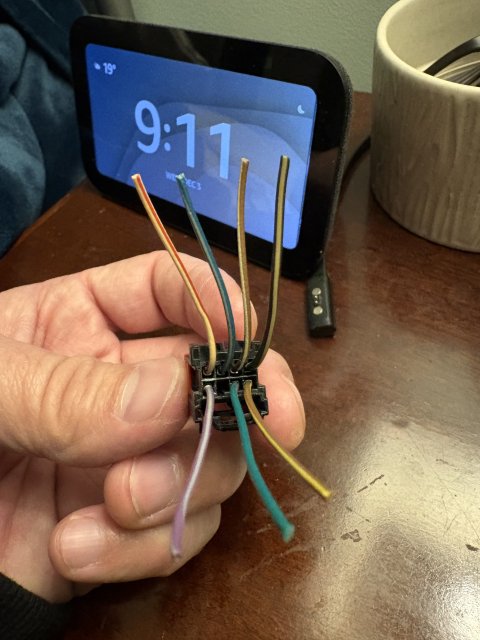
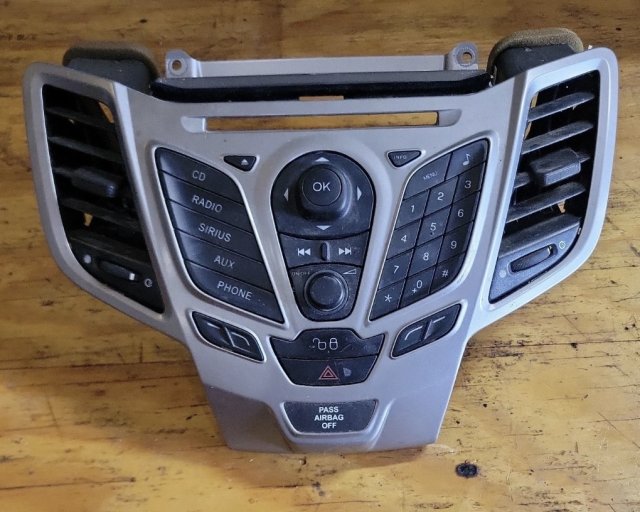
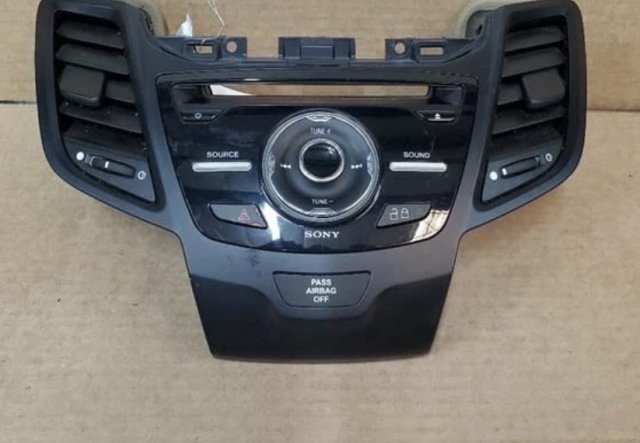
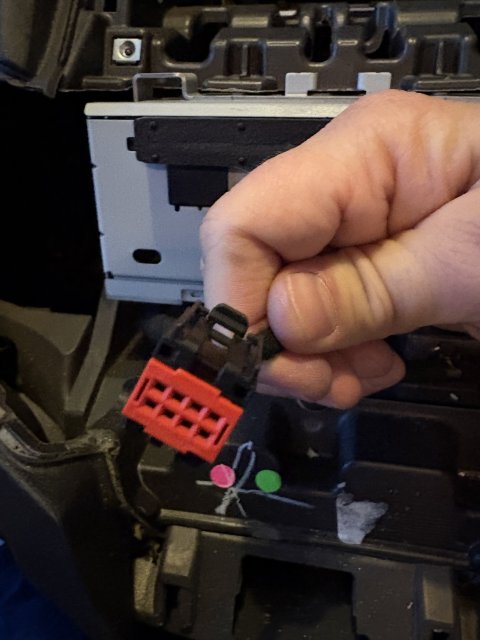
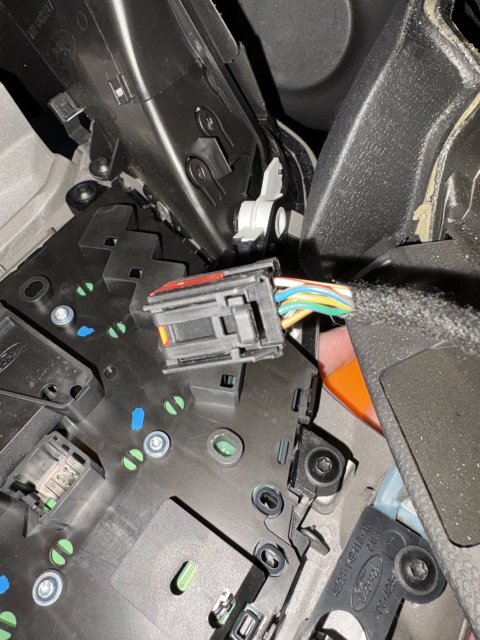
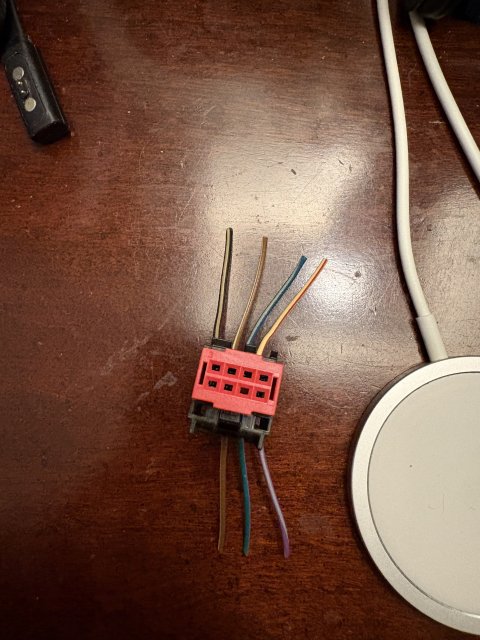
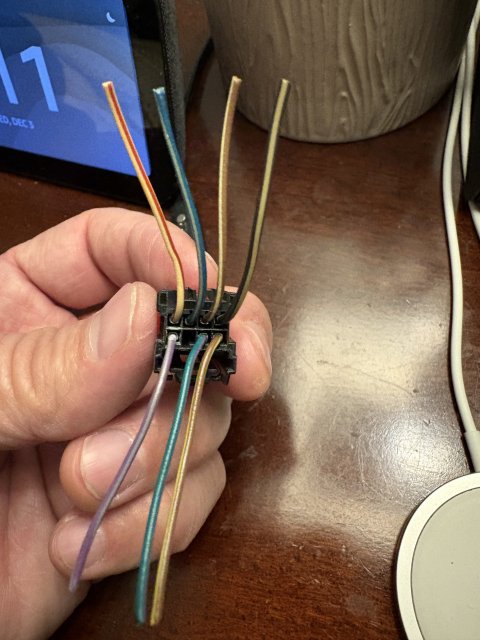
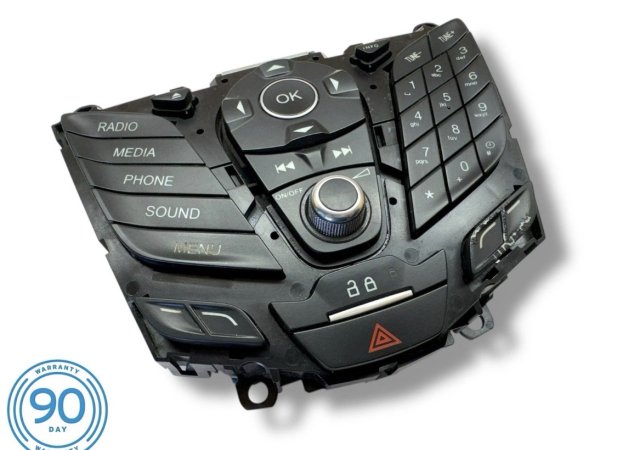
I have a 2011 Fiesta SES with Sync and am going to replace it with an Android head unit. Since I won’t need many of the original radio control panel buttons (for example Sirius button), I wanted to swap the button panel with one that was used for cars that had Sync 3. I tried the new panel prior to connecting the new head unit and the door lock and hazard buttons work, but the volume, tuning, source, and sound buttons don’t work and the buttons aren’t lit up. Perhaps the pinouts are different. Does anyone know the pinouts for the 2011 Fiesta control panel and the newer control panel pinouts for those that used the simplified panel for Sync 3?
Thank you, in advance, for your help. Here are some pics…
 

Attachments

Last edited:
OP
A

axispaxdeo

New Member
Messages
6
Likes
0
City
Crystal Lake
State
IL
Country
United States
What I Drive
2011 Ford Fiesta SES Hatchback
Thread Starter #2
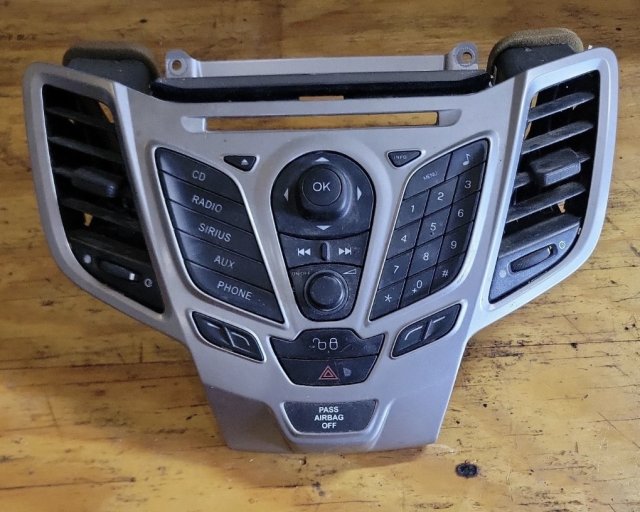
Do you think swapping my original that had the Sirius button with this version that has a Media button would work?
 

Attachments

OP
A
Messages
6
Likes
0
City
Crystal Lake
State
IL
Country
United States
What I Drive
2011 Ford Fiesta SES Hatchback
Thread Starter #3
Basically, I’m wondering if I can swap part number AE8T18K811BA with AE8T18K811BB.
 

Handy Andy

Well-Liked Member
Premium Account
Messages
1,976
Likes
1,384
City
Grand Rapids
State
MI
Country
United States
What I Drive
2018 Ford Fiesta SE HB
#4
There is such a fine line here.

It would require the SYNC unit that is under the Glovebox, to also get changed - why? Look at the keyboard from both.

Then check the connector the keyboard uses - you'll see why I'm saying this.

The programming and pin-out connections are different - which means the support upgrade route might be more hassle and effort than to keep the older system operational.
 
OP
A
Messages
6
Likes
0
City
Crystal Lake
State
IL
Country
United States
What I Drive
2011 Ford Fiesta SES Hatchback
Thread Starter #5
There is such a fine line here.

It would require the SYNC unit that is under the Glovebox, to also get changed - why? Look at the keyboard from both.

Then check the connector the keyboard uses - you'll see why I'm saying this.

The programming and pin-out connections are different - which means the support upgrade route might be more hassle and effort than to keep the older system operational.
Thanks for your reply. Gotcha. So it sounds like that Sync box is necessary to interpret the key presses and, therefore, any control panel is, in essence, tied to the sync box that came with it. Bummer. I saw this video
and got curious — but, perhaps, those two panels shared the same sync version/box.

Do you think the 2013 version that looks like my 2011 version but has the “Radio, Media, Phone, Sound, Menu” on the left instead of my “CD, Radio, Sirius, Aux, Phone” would work? I think that also had Sync 1.


Top